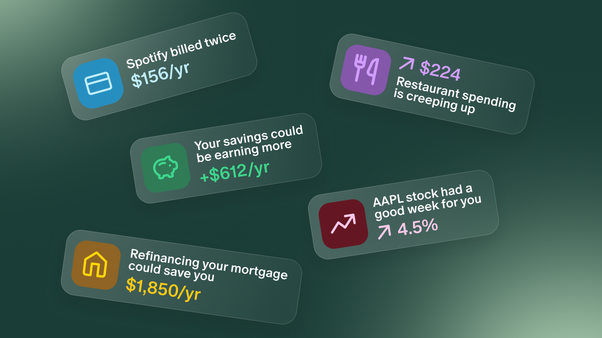
This month is all about getting more out of everything you’ve built in Monarch. You can now bring your full financial picture into the AI tools you already use, let your assistant spot ways to save before you think to ask, and use exclude filters to see only what matters. We’re also giving you a sneak peek at what’s coming next. Here’s what’s new:
Bring your finances into your favorite AI tools


Monarch is where your financial life comes together: your accounts, categories, budgets, goals, and more. With the Monarch MCP, you can bring all of that into the AI tools you already use, including Claude, ChatGPT, Gemini, and Cursor.
That means every conversation about your money starts from your real, organized numbers instead of a pasted spreadsheet. Beta members put the MCP to work in creative ways. One compared their credit card perks against a year of transactions to see which benefits they’d missed. Another pulled together an account summary before an annual advisor meeting. A third used their real savings to settle on a car budget, then bought the truck a month later.
Setup takes just a few minutes: add Monarch as a custom connector in your AI tool, sign in, and choose your permissions. Read lets your AI tool answer questions, and Read and write also lets it make changes in Monarch for you.
The MCP is available to everyone and Monarch Plus members get significantly more usage. For a limited time, usage is unlimited for everyone through October 31st.
For more ideas and prompts to try, check out our full MCP announcement.
CTA: Get connected (setup on web)
Money-saving moves, found for you

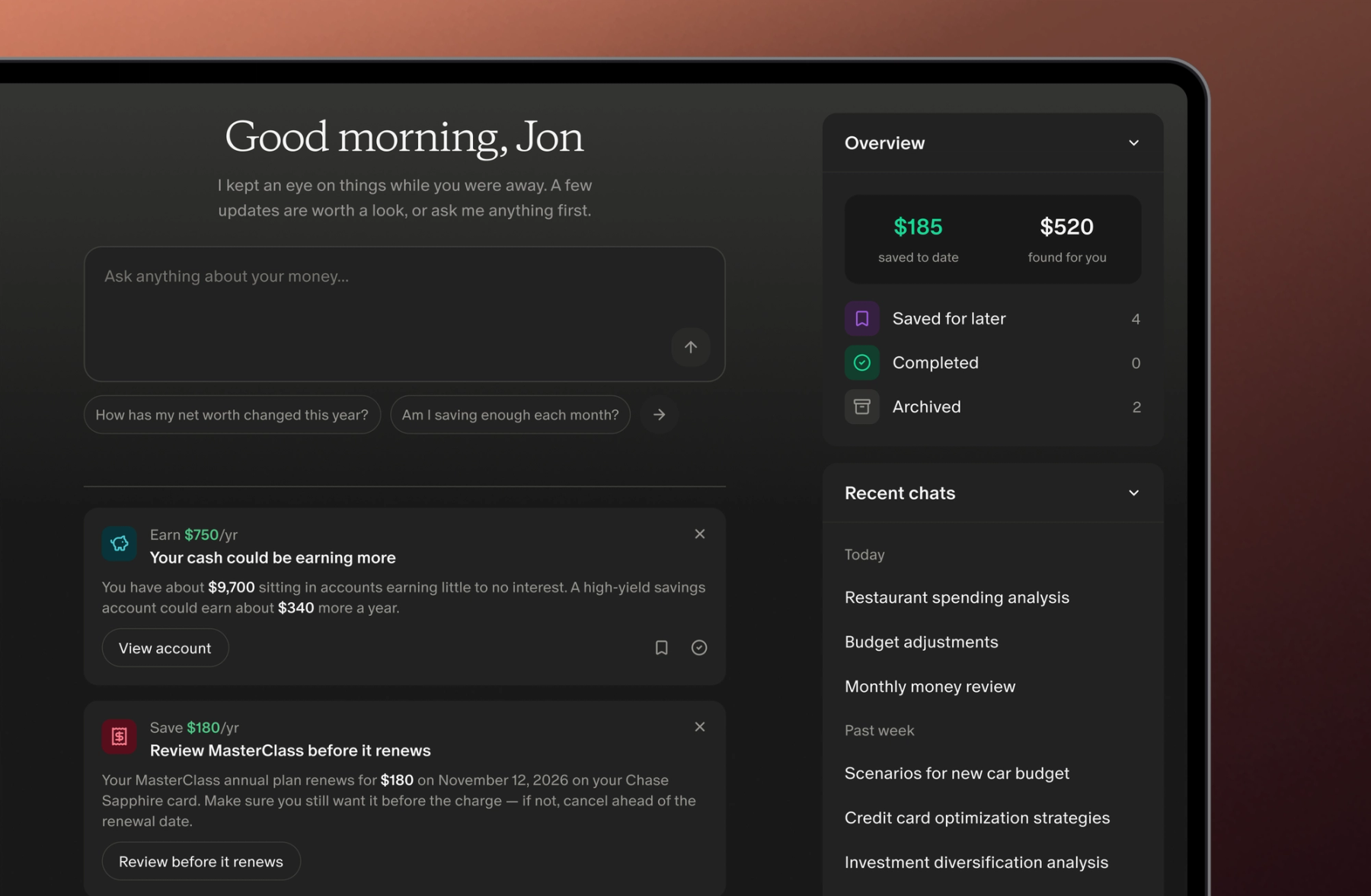
Some of the easiest money to save is money you don’t know you’re losing. Maybe it’s a subscription that charged you twice, savings sitting in an account that could be earning more, or a mortgage rate worth a second look. These are easy to miss unless you’re looking for them. And in some cases, these opportunities could save you hundreds.
Now your assistant finds them for you. Instead of waiting for you to ask, it keeps an eye on your accounts and brings you money-saving moves tailored to you. Each one shows how much you might be able to put back in your pocket. Your assistant also has its own dedicated page now, so everything it finds lives in one place.
This is the first step toward something bigger: making sure you never miss a chance to make the most of your money. It’s all in beta, and you’ll see more added over the coming weeks. We’d love your feedback as we go, and you can share it anytime using the form on the Assistant page.
Filter out what you don’t want to see

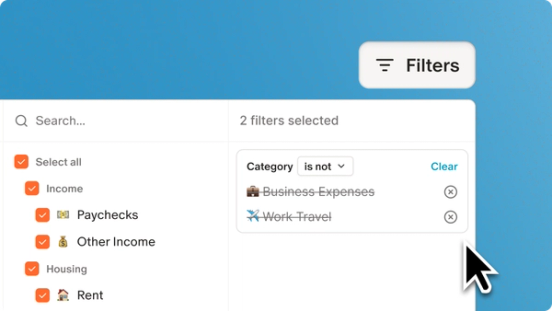
Sometimes it’s easier to say what you don’t want to see. Exclude filters have been a long-time request, and they make it much easier to get the exact view you want when you’re building a report or scanning your transactions.
Exclude any category, merchant, account, tag, owner, or goal. That makes it simple to see your spending without rent, or all your transactions except the ones tagged “Reimbursable.” Saved reports keep their exclude filters too, so the view you like is ready whenever you come back.
Tags get a little extra flexibility. You can include or exclude them and choose whether a transaction should match any or all of the tags you pick. On mobile, you’ll find these tag options under Advanced filtering.
Here’s how to try it out:
- Open Transactions or Reports and select Filters
- Choose what you’d like to filter by, like category or merchant, then select is not to exclude it
- Select Apply to update your view
Build a report with exclude filters
Other big and small updates
- Forward receipts from Gmail automatically. Set up a filter in your Gmail settings to auto-forward receipts to Monarch, and they’ll arrive on their own, matched to their transactions and attached. You won’t need to forward each email by hand anymore. Learn more here.
- Your net worth chart remembers your date range. Pick a range once, and Monarch keeps it across browsers and devices. On mobile, make sure you’re on version 2.0.122 or later.
- Budget progress bars are easier to scan. Progress bars now have their own column in your monthly budget, so it’s easier to scan where each category stands without reading across the whole row.
- Export your budget to CSV. You can now download your budget as a CSV file, making it easy to work with your numbers in a spreadsheet when needed. Look for the “Download CSV” button at the bottom of your summary card on the Budget page.
- Budget progress bars now include rollover. Your progress bars factor in your rollover amount, so you can see what you really have left. The rollover tooltip also adds up correctly now.
- More places to go with cmd+K. On web, cmd+K can now take you straight to any Settings page, like Notifications. You can also use it to contact support, view our roadmap, or check out What’s New.
- Receipt matching suggests the likely transaction first. When you tap Find match on an emailed receipt, transactions from similar merchants now show up at the top. Forwarding from a few more email providers also works reliably now.
- Find your bank with the name you know it by. When you add an account, searching “Amex,” “BofA,” “US Bank,” or a bank’s former name now finds the right institution.
- Transaction dates follow your bank. When your bank updates a transaction’s date, Monarch now updates it to match, unless you’ve already edited or reviewed it.
- Set a price on a manual holding. If a manual holding doesn’t have a market price, like a stable value fund or private stock, you can now enter its price yourself. That keeps its value and your account balance current.
- Rapid Review runs smoother. It no longer freezes or marks a transaction twice, and you’ll see a spinner instead of an empty stack while it loads.
- Past budget months stay put. Budget and rollover numbers from before your goals moved to the new Goals no longer shift because of goal-linked expenses.
- Coinbase connects again on iPhone. Tapping Connect for Coinbase on iOS works again, and if the connection can’t start, you’ll now see a message explaining why.
- Credit card balances from MX connections now show correctly. We fixed an issue where some credit cards connected through MX showed their balance with the wrong sign. If you have a card connected this way, your net worth may look lower than before. That’s because your card balance is now correctly counted as money you owe.
What's next
- Organize your accounts your way. One of your longest-standing requests is on its way. We’re working on a way for you to organize your accounts into groups that match how you think about your money, like keeping retirement accounts separate from your taxable investments.
- A smarter way to track your bills and subscriptions. We're rebuilding Recurring from the ground up so Monarch can help spot your bills and subscriptions more accurately. That means separating out multiple charges from the same merchant (looking at you, Apple) and identifying annual renewals and bills that change every month. We’re opening this up for beta testing soon. Stay tuned!
- Monte Carlo simulations in Forecasting. Instead of a single projected line, Monarch will run thousands of simulations for you that factor in the ups and downs of real markets. With one click, you'll see a Chance of Success score showing how likely your plan is to hold up, along with the full range of outcomes behind it.
As always, tell us what you want to see us build by voting on our product roadmap and stay tuned for more updates next month!